
Validating your OpenAthens Login
If you have reached this page, it is because we have asked you to validate your OpenAthens configuration on our website.
In order to validate your configuration, please carry out the following steps:
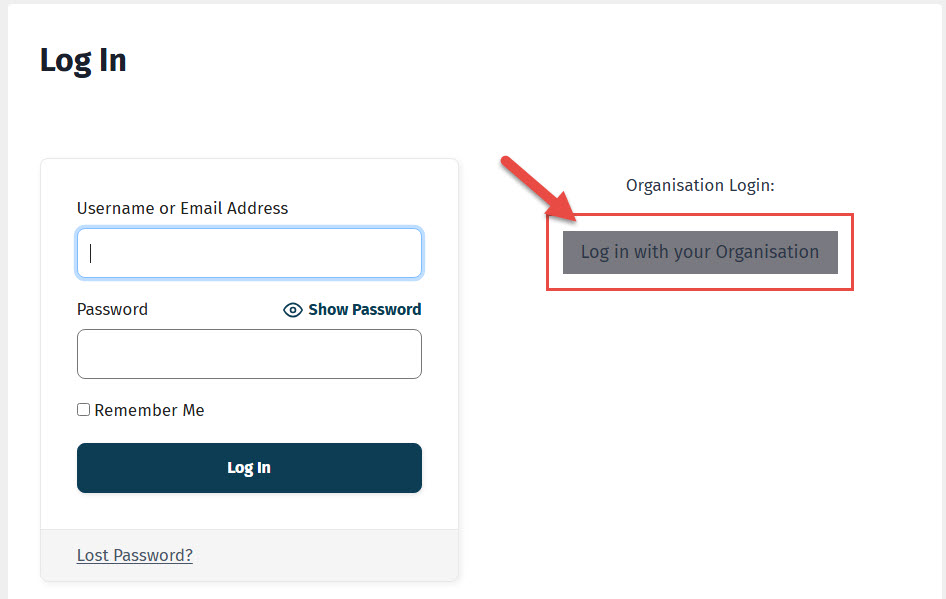
Go to your Account page at https://journalofdementiacare.co.uk/community-account and select ‘Log in with your Organisation’.
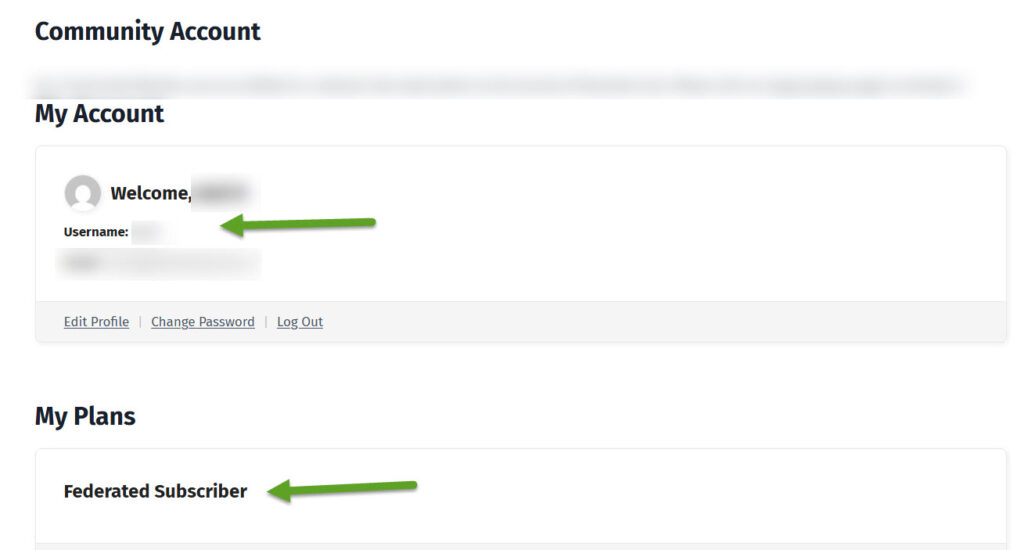
Once you have logged in, look at your Username on your Account page. If it is very long and apparently random, you are logged in using OpenAthens. If not, you may need to log out and back in using OpenAthens.
Scroll further down and look under ‘My Plans‘.
If you are having any difficulty, we would be pleased to help – simply contact us using the details on the email that brought you here.